I was working on our hiring workflow when we needed an online assessment platform for candidates. The requirements themselves were fairly straightforward:
- Support both multiple-choice and short-answer questions.
- Allow candidates to start the assessment only within a specified time window.
- Enforce a fixed test duration.
- Allow only one attempt.
- Present each candidate with a different set of questions.
Normally, the answer would have been to purchase an assessment platform or build one ourselves. Unfortunately, neither option was realistic. We couldn't find a third-party service that met our needs, and our team didn't have enough bandwidth to develop a dedicated platform.
Instead of asking, "What should we build?", I started asking, "What can we build using the tools we already have?"
Google Forms turned out to be a surprisingly good starting point. It already supported multiple-choice and short-answer questions, automatically collected responses, and allowed us to control whether a form accepted responses. It wasn't designed as an assessment platform, but it solved enough of the problem to make it worth exploring.
Note: Some of the limitations described below have since been addressed by Google Forms. This post reflects the capabilities that were available when this solution was built.
The limitations, however, quickly became apparent:
- Restricting access to specific people only worked well for users with Google accounts, which wasn't practical for every candidate.
- Google Forms could shuffle the order of questions, but it couldn't generate a different set of questions for each candidate.
- At the time, limiting respondents to a single attempt required candidates to sign in with a Google account.
- There was no built-in way to automatically close a form after a certain duration, making it impossible to enforce the test duration.
- The UI couldn't be customized, so adding features like a countdown timer, progress tracking, or automatic submission wasn't possible.
Rather than trying to eliminate every limitation, I worked around them.
To give each candidate a unique assessment, I stopped thinking of the assessment as a single form. Instead, every candidate received their own Google Form containing a randomized selection of questions. The forms were generated automatically through the Google Forms API, while n8n handled the automation. It wasn't true question randomization within a single form, but from the candidate's perspective the result was effectively the same.
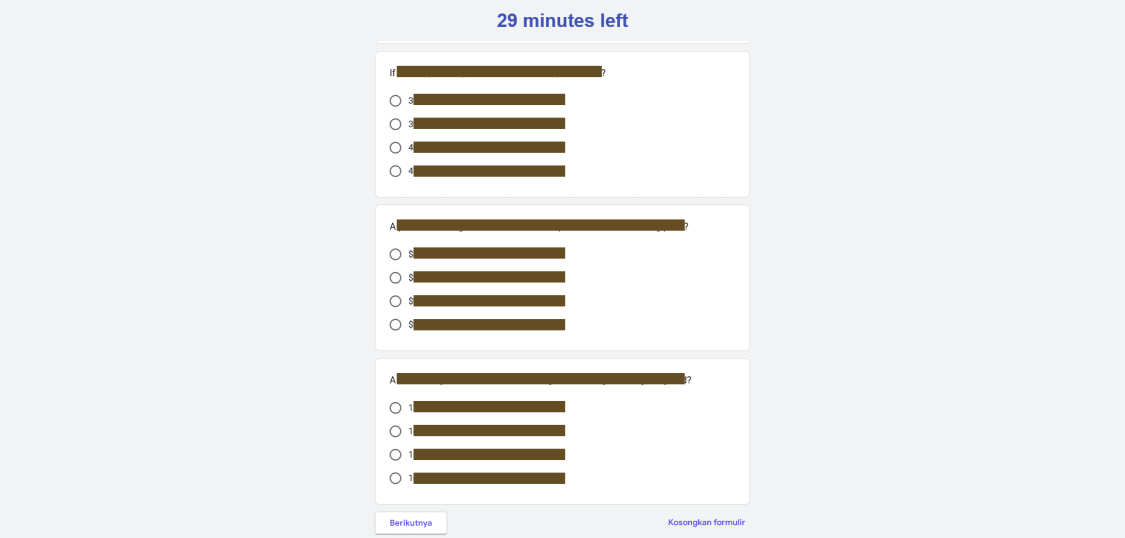
The next challenge was the user experience. Instead of sharing the Google Form directly, I embedded it inside an iframe within a small single-page application built with Google Apps Script. This allowed me to control everything outside the iframe. Candidates first landed on an overview page explaining the assessment before entering the form. During the test, the application displayed a countdown timer and notifications. After submission, it showed a confirmation screen instead of leaving candidates on the default Google Forms page. Google Sheets stored the assessment metadata and tracked each candidate's progress. I know Google Sheets isn't a database, but for this temporary solution it was sufficient.
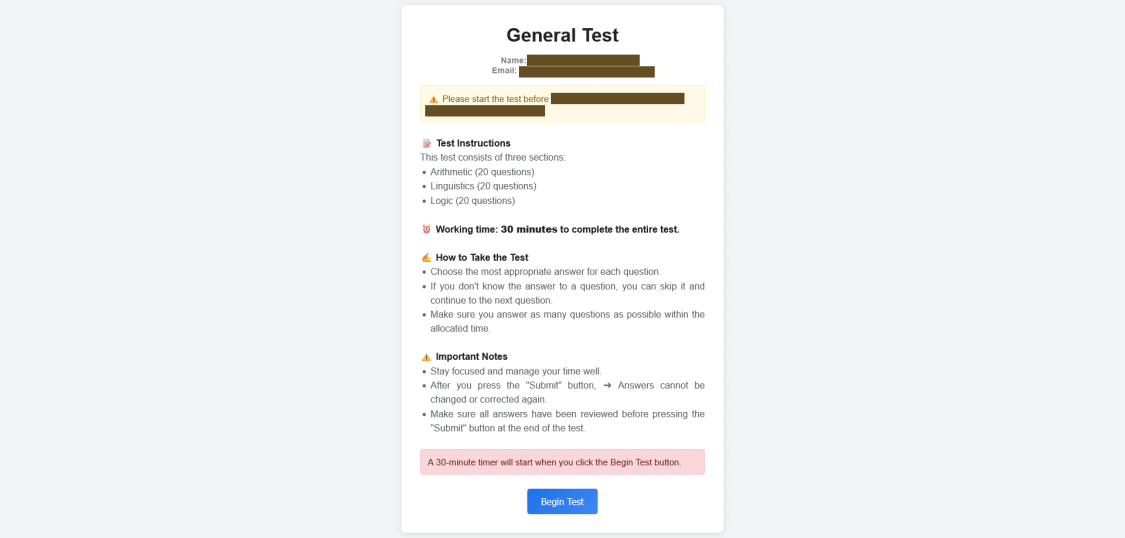
I also avoided exposing the Google Form URL directly. Every candidate first requested access through an Apps Script endpoint. Once the endpoint returned the form URL, I treated the assessment as officially started and recorded the start time. That timestamp became the basis for measuring how long the candidate spent completing the assessment.
Detecting when someone submitted the form turned out to be another interesting challenge. Since the assessment lived inside an iframe, browser security restrictions prevented the parent application from knowing when the form was submitted. The only event I could observe was when the iframe reloaded. Normally, after submitting a Google Form, the page refreshes to display the confirmation screen. Whenever that happened, the application treated the reload as a possible submission and checked the Google Forms API for a new response. If one existed, the assessment was marked as completed, the iframe was closed, and the form was immediately unpublished so it couldn't be accessed again.
There was one limitation I couldn't solve in a way that felt fair.
Technically, I could force the iframe to close the moment the allotted time expired. The problem was that Google Forms only records responses after the user presses Submit. Closing the iframe would simply discard everything the candidate had typed, including work they had already completed.
Instead, the application displayed a warning when time ran out and allowed candidates to submit on their own. They could exceed the allocated duration, but we still knew exactly how long they had spent on the assessment. Rather than preventing submission, the recorded completion time could then be considered during the evaluation process.
Looking back, I wouldn't recommend this architecture as a long-term solution. If the assessment process were expected to grow, building or adopting a proper assessment platform would absolutely be the better investment.
But not every engineering problem deserves the ideal solution.
Sometimes the business needs an answer this week, not six months from now. Sometimes the best solution is simply the one that delivers enough value with the resources you actually have. This project was one of those cases. It wasn't particularly elegant, and it certainly wasn't something I'd want to maintain forever, but it allowed the hiring process to continue while buying us time until a proper solution became feasible.